21Grams / PostSort Preparation

Navigation:PostSort Preparation Help > Job window > Optimization > Select Distributor >


General


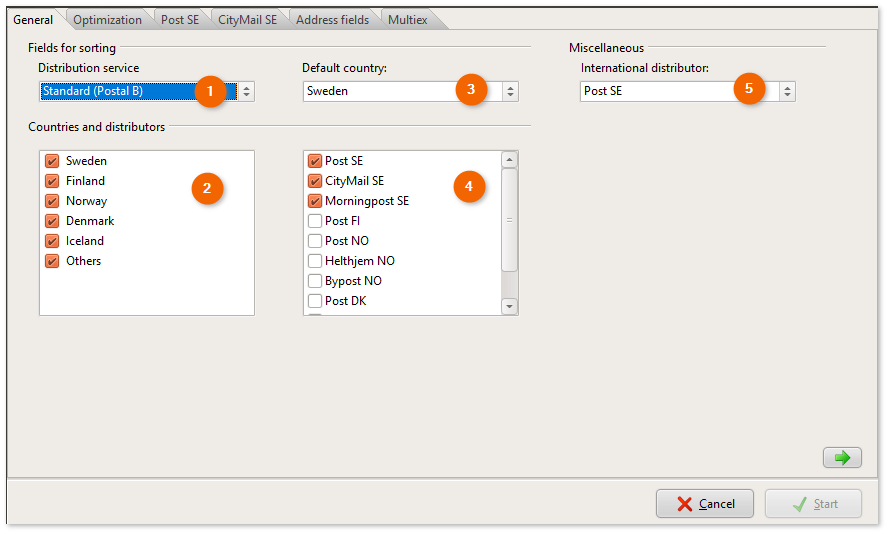
Indicate whether the product is to be sent as Postal A or B.


Possibility to exclude countries from production.


If a Swedish file is sorted, it is not expected that the address will say Sweden or SE.


For example, if there is a Danish address in the file, it can be marked with Denmark or DK in front of the postcode.


Specify which distributors' rules must be followed in sorting.


For direct deposit in Denmark, the sorting of the Danish addresses must follow the rules of Denmark Post.

If they are sent as ordinary foreign mail via one of the Swedish distributors, only Posten SE and Citymail SE are marked.


Select which distributor will handle any addresses that are outside the Nordic countries. Select Post SE as the default, unless you have a customer-specific agreement with one of the other distributors.


Updated:22/12/2025

Copyright © 2013 - 2026  21grams.com